What the API does
The Murmel API (v1) is a REST API. You send an audio file to one endpoint and get the full text back, plus the sentences with start and end times and, if you want, the speaker per sentence. Behind the API runs murmel-flash, Murmel's own model, trained from scratch on Dutch speech with English as a second language. On four open Dutch benchmarks the largest model makes the fewest errors of the seven models tested; the measurement is in the Murmel v5 write-up.
- Languages: Dutch and English (language=nl or en). No other languages and no translation.
- Speaker recognition: on or off per request with identify_speakers.
- Vocabulary: the list from your profile by default, or a separate list per request with hotwords. See custom vocabulary.
- Formats: wav, mp3, m4a, webm, ogg, flac and more.
- Length: up to 3 hours of audio per request. Split longer recordings yourself, or upload them in the Studio, which splits them automatically.
Get started in five minutes
- Create an account and confirm your emailThe API uses the same balance as the Studio: a subscription or prepaid credits.
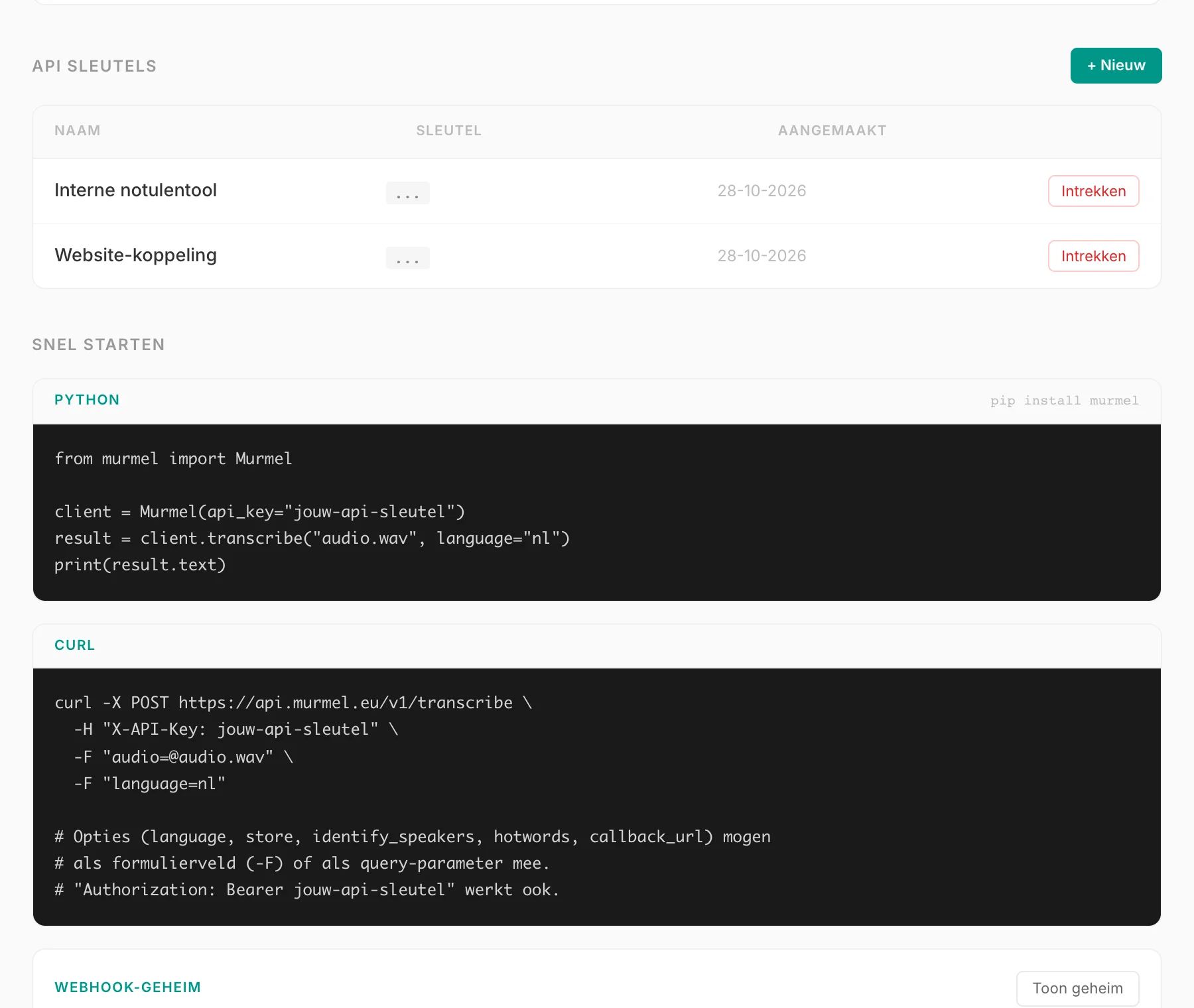
- Create an API keyIn the app, go to the Developer page and create a key. Murmel only stores keys hashed, so copy it straight away.
- Install the SDKpip install murmel, or call the REST API directly with curl or your own HTTP client.
# pip install murmel
from murmel import Murmel

client = Murmel(api_key="murmel_sk_...")

result = client.transcribe(
    "interview.mp3",
    language="nl",
    identify_speakers=True,
    hotwords=["Rijkswaterstaat", "Gemeente Utrecht"],
)

print(result.text)
for segment in result.segments or []:
    print(f"[{segment.start:.1f}s] {segment.speaker}: {segment.text}")
Without the SDK you send a POST to https://api.murmel.eu/v1/transcribe with the file as the form field audio and your key in the X-API-Key header. Every endpoint and field is in the API documentation.
Waiting or a webhook
A normal request waits for the result, for up to 10 minutes. For long files or many files at once a webhook is more practical. Pass a callback_url (a public https URL) and the request returns immediately with status "pending". As soon as the transcript is ready, Murmel POSTs it to your endpoint, with the event transcription.completed or transcription.failed.
- Every webhook is signed with an HMAC-SHA256 signature in the X-Murmel-Signature header. The SDK checks it with verify_webhook.
- If your server does not respond with a 2xx status, Murmel retries up to six times, spread over roughly two hours.
- With an Idempotency-Key you can safely repeat a request: within 24 hours the same key returns the same transcription, without paying again. Sending the same file with the same settings again also costs no minutes.
Store nothing with store=false
By default, a transcription made through the API also appears in your history in the Studio. If you process sensitive audio, send store=false. Everything is then deleted as soon as you have fetched the result, and at the latest one hour after the transcription finished. The audio is processed in the Netherlands, just like in the Studio. More on where your data lives on security and privacy.
Price and limits
You pay per minute of audio, just like in the Studio. With prepaid credits that is €1.45 per hour incl. VAT (from €6.05); Basic gives you 12 hours per month for €10.89 incl. VAT. File size, requests per hour and concurrent transcriptions depend on your plan; prepaid credits count as Basic. When a limit is reached you get a clear error (HTTP 429). See pricing. Need larger volumes, an SLA or a data processing agreement? Get in touch.
Frequently asked questions
Is there an SDK for languages other than Python?
There is an official SDK for Python. From other languages you call the REST API directly; it is a normal multipart upload with an API key in the header.
Can I use the API with prepaid credits?
Yes. The API uses the same balance as the Studio, whether that is a subscription or prepaid credits.
Where is the audio processed?
In the Netherlands. Storage and servers are at Scaleway in the Netherlands, the computation runs on Leafcloud GPUs in Amsterdam. See security and privacy.