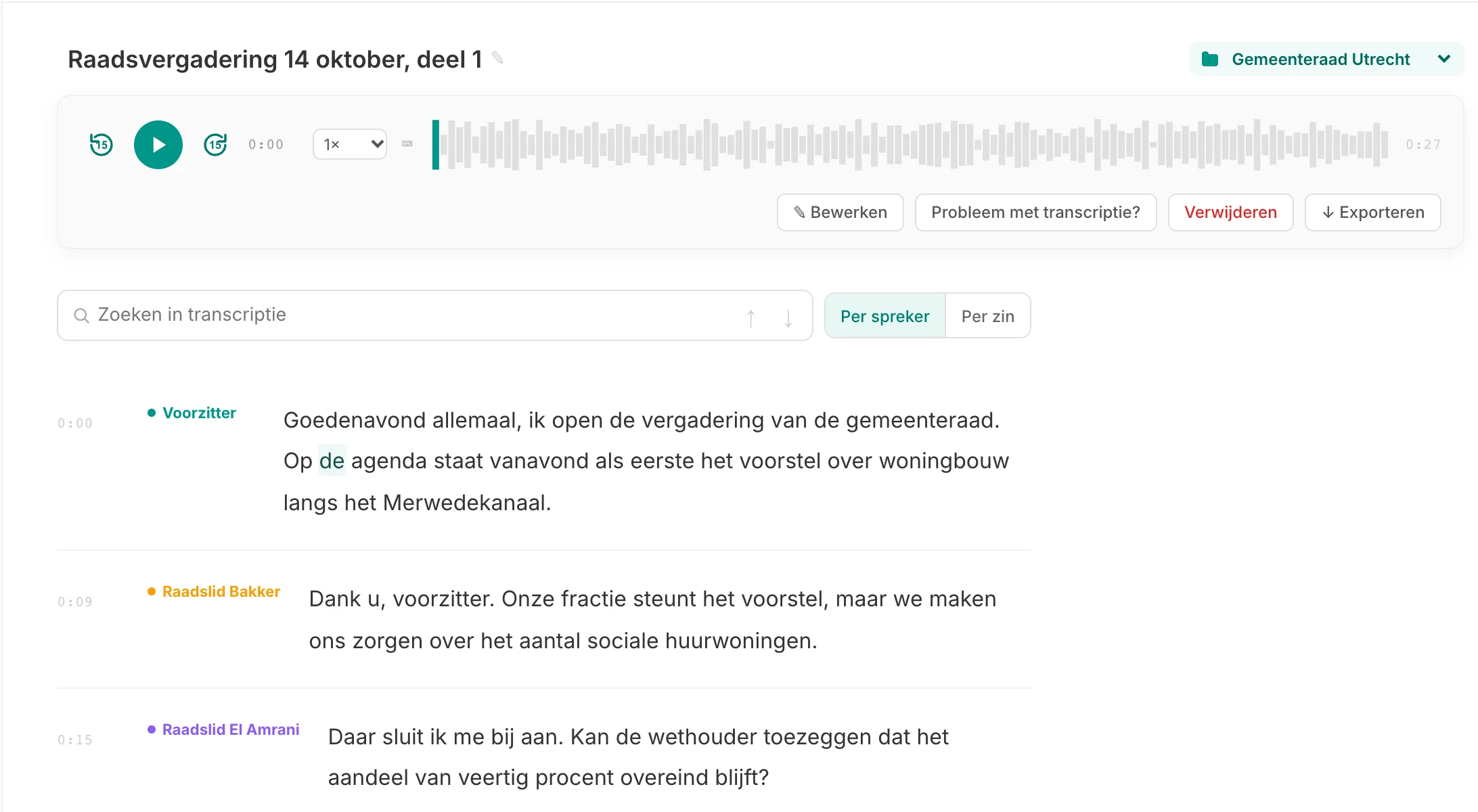
What speaker recognition is
Speaker recognition (technically: diarisation) splits a recording into pieces per voice. The model listens to the sound of each voice, groups the pieces that belong together and labels them: Speaker 1, Speaker 2, and so on. So it does not know who someone is, only that it is the same person each time. You add the name yourself.
In Murmel speaker recognition is always on, for uploads, browser recordings and meetings through the note taker. There is nothing to set up beforehand and it costs nothing extra: you pay per minute of audio, with or without speakers.
Naming and correcting speakers
- Open the transcriptAbove the text is a bar with every speaker in their own colour, with how often they speak.
- Click a nameType "Alderman De Vries" instead of "Speaker 2" and press Enter. The name changes throughout the whole transcript at once.
- Merge duplicate speakersDid the model split one person into two speakers, for example because they moved closer to the microphone later on? Choose "merge with" and the two become one.
- Fix individual fragmentsIs one sentence attributed to the wrong person? Click to the left of that fragment and pick the right speaker. Everything else stays as it was.
The names are saved with the transcript. When you export to Word or PDF they appear in the header and with each block of text, in the same colour as in the Studio. For SRT and VTT subtitles you choose whether the speaker name is shown. The overview of all your recordings shows how many speakers were found in each one.
Where speaker recognition struggles
Speaker recognition works best on a clear conversation between a few people who take turns. It is not magic, and these situations go wrong more often:
- People talking over each other. When two people speak at once, the fragment gets one speaker. What the other person said may end up with the wrong person or partly disappear.
- Voices that sound alike. Two colleagues of the same age with similar voices can be merged into one speaker.
- Short reactions. A single "yes" or "exactly" is too short to recognise a voice reliably and is sometimes attached to the previous speaker.
- Changing distance or sound. Someone walking around the room, or a participant switching headsets halfway, can appear as a new speaker. Merging fixes that in two clicks.
- Many speakers in one room. A council meeting with twenty people and one room microphone is harder. Expect some correction work there.
Tips for better speaker recognition
- One microphone per person gives the best result. Two lapel mics in an interview work better than one phone in the middle.
- Place the phone or recorder at an equal distance from everyone if there is only one microphone. That way nobody sounds much quieter than the rest.
- Let people finish. Agreeing that everyone takes turns helps the transcript as much as the meeting.
- Limit background noise: no coffee machine next to the recorder, windows shut near traffic.
- Ask everyone to introduce themselves at the start. When you review, you immediately hear which voice belongs to which name.
Frequently asked questions
Can I turn speaker recognition off?
In the Studio and for meetings it is always on. If you want running text without names, choose the "Text only" layout when exporting. Through the API you can switch it on or off per request.
Does Murmel recognise the same person in a next recording?
No. Speakers are recognised per recording, not across recordings. So you add names per transcript.
Does speaker recognition cost extra?
No. You pay per minute of audio, for example 12 hours per month for €10.89 incl. VAT with Basic. See pricing.