How it works
- Make a linkOpen the Murmel Meet tab in the Studio and make a call link. You can keep using it, for a weekly meeting for example.
- Share the linkAnyone with the link joins with just a name. Guests need no account and install nothing: it works in the browser, on a computer and on a phone.
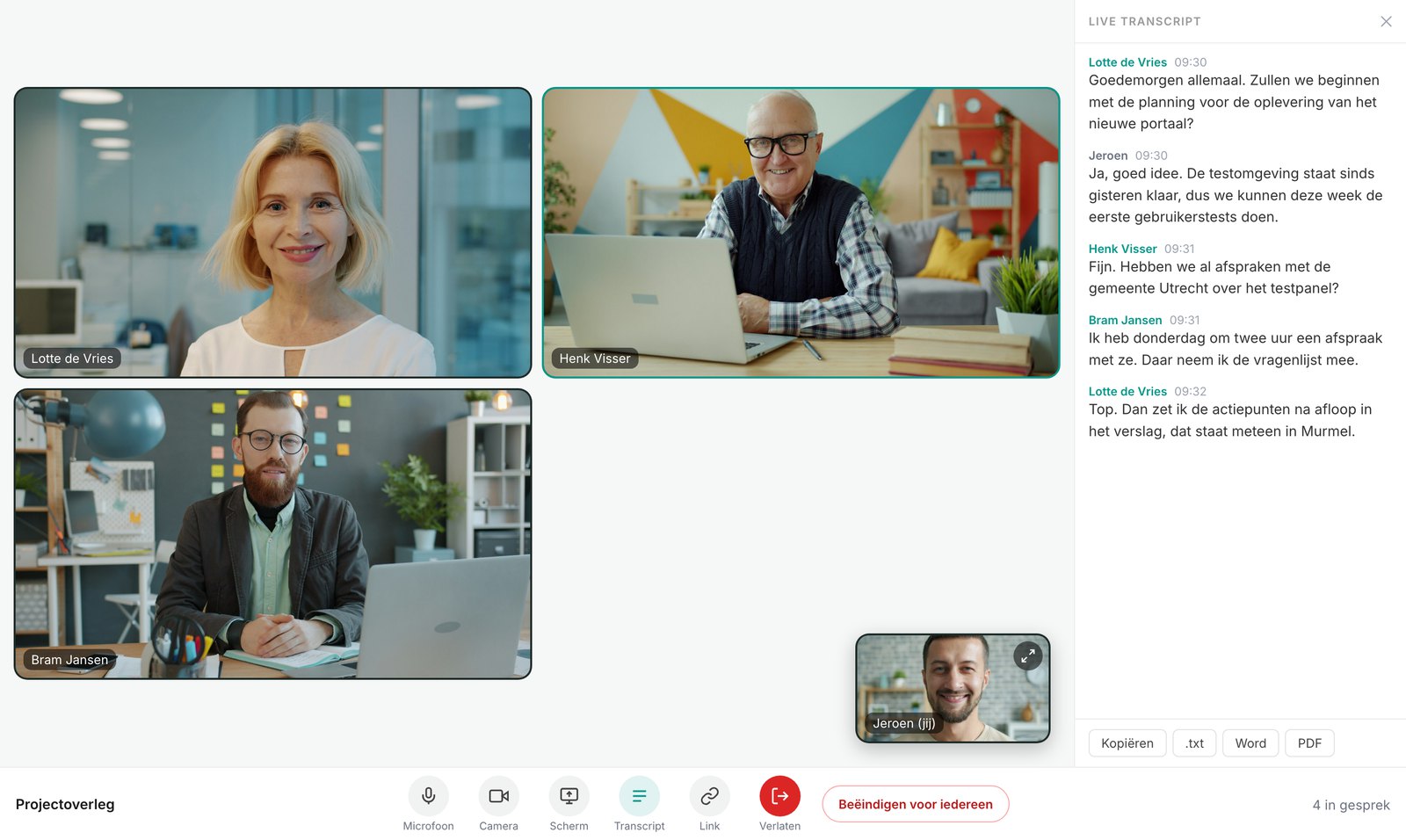
- Read alongThe live transcript sits next to the video and everyone in the call sees it. You can copy it or save it as text, Word or PDF at any time. There is also a chat for messages and links.
- Open the reportAfterwards the full report is in your Studio, with the name of whoever said each sentence. Fix what needs fixing and export it like any other transcript.
Every microphone separately
Because the call itself runs through Murmel, Murmel records each participant's microphone separately, instead of one mix where everyone sounds on top of each other. That gives a cleaner transcript, and Murmel does not have to guess who is speaking. Even when two people talk at once, their words stay apart. For a recording from a single microphone, speaker recognition does that work afterwards.
The call stays in the Netherlands
The call runs through Murmel's own servers in the Netherlands, not through an American video service. The recordings, the transcript and the chat stay there too. Only the audio is recorded, not the video and not what anyone shares on screen. Everyone who joins sees this before the call. Delete the report and everything that belongs to that call goes: the recording, the report, the live transcript and the chat. More on security and privacy.
Murmel Meet or the note taker
- Murmel Meet when you set up the call yourself and want everyone to read along live. Every participant is recorded separately.
- The [note taker](/functies/notulist) when the meeting is already in Microsoft Teams, Google Meet or Zoom. Murmel then joins as a participant and delivers the transcript afterwards.
Frequently asked questions
What does Murmel Meet cost?
Murmel Meet is available to everyone with a plan or credits. The live transcript during the call costs nothing extra. The report afterwards counts as ordinary transcription minutes and comes out of the balance of whoever created the call. See pricing.
Do guests need an account?
No. Guests join with just a name, in the browser, and pay nothing.
Is the video recorded?
No. Only the audio is recorded, not the video and not what anyone shares on screen.
Does it work on a phone?
Yes, in your phone's browser, without an app. In a one-on-one call the other person fills the screen, and you can put the live transcript below the video.